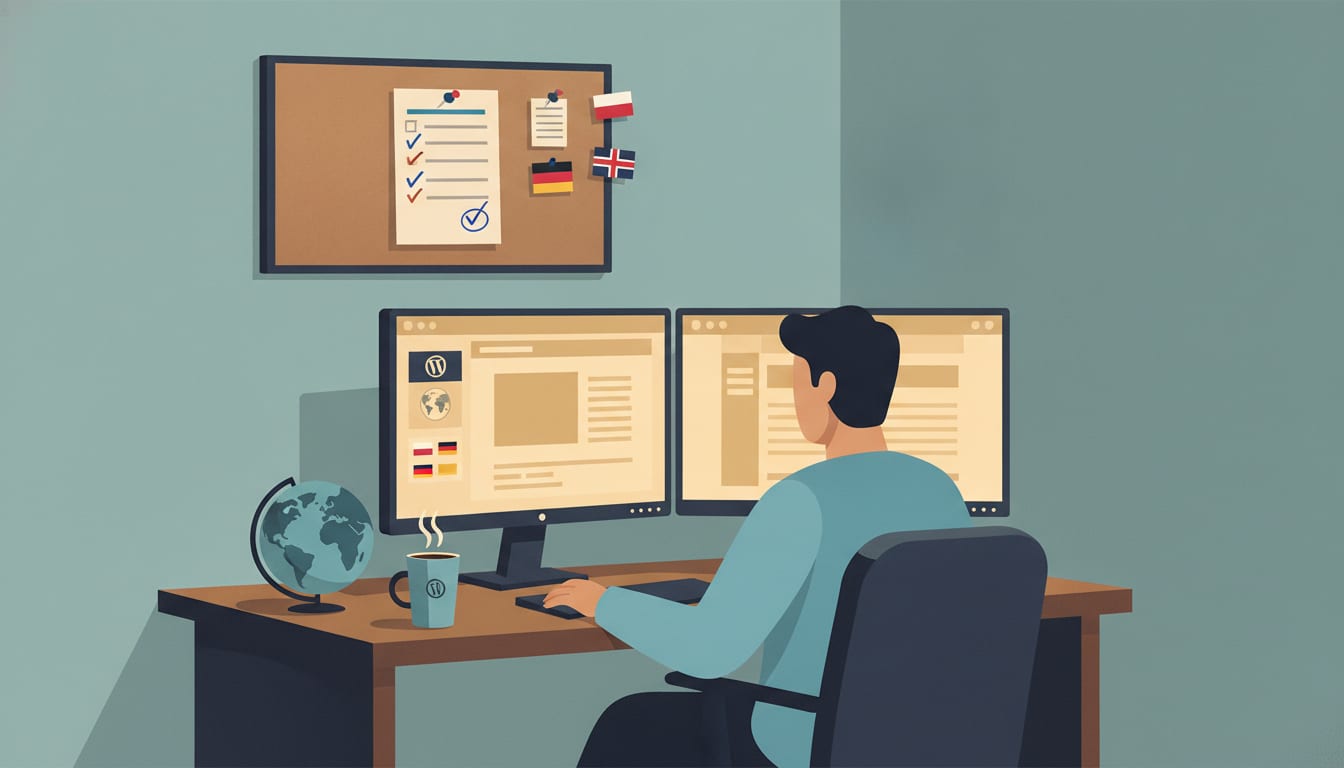
Multilingual WordPress SEO depends heavily on your architecture. A translation plugin alone will not solve it. A separate URL for each language, reciprocal hreflang tags, and natively written content determine whether Google and AI answer engines show a user in Munich the German version instead of the Polish one.
Multilingual WordPress SEO involves configuring the structure, content, and technical CMS signals so that each language version ranks independently in its respective market. According to W3Techs CMS market share data, WordPress powers over 43% of all websites. That does not guarantee free rankings.
Run through these 15 checkpoints before launching any new language version of your B2B website.
Key takeaways
- Every language version needs its own permanent URL, because Google does not treat cookie- or script-switched variants as separate pages for indexing.
- Hreflang tags only work with reciprocal links: if /de/ points to /pl/, then /pl/ must point back to /de/, otherwise Google may ignore the entire annotation.
- Hreflang codes rely on ISO 639-1 (language) and ISO 3166-1 Alpha 2 (region), so the UK is en-gb, not en-uk.
- The canonical tag on the German version must point to the German version. A canonical pointing to the Polish original removes the translation from the index.
- Blocking GPTBot or PerplexityBot in robots.txt cuts off your content from several AI engines, while the Google-Extended directive does not alter positions in standard Google search results.
How to properly configure hreflang tags and domain structure in WordPress
For most B2B companies, the simplest and most cost-effective choice is subdirectories (/en/, /de/) on a single domain, with hreflang generated by a multilingual plugin such as WPML or Polylang. The entire domain authority works across all markets, and you only manage a single installation.
| Structure | Example | Domain authority | Maintenance in WordPress | When it makes sense |
|---|---|---|---|---|
| Subdirectory | company.com/de/ | Shared across all versions | Single installation + plugin | Most B2B companies, starting expansion |
| Subdomain | de.company.com | Partially split | Multisite or separate installations | Separate teams per market |
| Country-code domain | company.de | Built from scratch | Separate installations | Strong local brand, different product offerings |
1. Choose a single URL structure and stick to it across all languages. Mixing subdirectories, subdomains, and ?lang= parameters scatters signals and complicates any future migration.
2. Make sure every language version has its own URL accessible without cookies and without JavaScript. Crawlers land on the page without a session history, meaning content visible only after clicking a toggle switch does not exist to them.
3. Use hreflang with reciprocal links, self-reference, and x-default. Without these three elements, Google may drop the annotations, as outlined directly in Google's documentation on localized site versions.
4. Ensure the canonical tag on every version points to itself. A canonical pointing from /de/services/ to /pl/services/ tells Google "this page is a duplicate," and the German version drops out of the index.
What does this look like in practice? The /pl/services/ page should include a full set of annotations in the head section: hreflang="pl-pl" pointing to itself, hreflang="de-de" pointing to /de/leistungen/, hreflang="en-gb" pointing to /en/services/, and hreflang="x-default" pointing to the version you want to show the rest of the world. The exact same set belongs on the German and English pages. Verify this in the source code of all three addresses side by side. Any discrepancy is an error.
You can also place annotations in an XML sitemap or via HTTP headers. Pick one method. Using two methods at once invites conflicting signals. If you plan to expand into Scandinavian markets, this exact schema applies to expansion into the Danish market.
What to avoid when publishing multilingual content in the CMS dashboard
Automated "on-the-fly" translations published without human review cause the most damage. Within minutes, a plugin creates hundreds of subpages with flawed terminology, empty slugs, and inconsistent hreflang setups. Google receives a flood of thin content, and your brand ends up with text that no German buyer will take seriously.
5. Turn off automatic translation publishing without approval. Machine translation does not know your industry vocabulary and won't realize that an IT "deployment" isn't just any textbook "introduction."
6. Translate slugs, not just content. The address /de/uslugi/ looks like an error to a German user, whereas /de/leistungen/ contains the actual word they are searching for.
7. Do not mix languages on a single page. The menu, footer, widgets, forms, and WooCommerce notifications must match the language of the main text—a pitfall that is especially painful when optimizing an e-commerce store that leaves checkout in Polish.
8. Do not use IP-based automatic redirection. Googlebot mostly crawls from IP addresses in the United States, so forced redirection might cause it to see only the English version.
Instead of a redirect, show a polite banner: "It looks like you are in Germany. Switch to the German version?". The user decides. The crawler sees everything.
This highlights the core dichotomy: native content versus clumsy translation. Native copy is written from scratch for the local reader, using their examples and search phrasing. Translated copy moves Polish text word for word. The former builds trust; the latter costs it.
How to adapt metadata and headings for international markets
Write your metadata fresh for every market, starting with a separate keyword research project in the local language. A translated title tag rarely matches the phrase customers actually type. A well-written title tag fits within roughly 60 characters, and a meta description within about 155.
9. Conduct separate keyword research for every market. The Polish term for wholesaler can translate to either "wholesaler" or "distributor" in English, and local search volume dictates the choice, not a dictionary.
10. Set title tags and meta descriptions separately for each version in Rank Math or Yoast SEO. Both tools integrate with WPML and Polylang, but by default they copy Polish fields unless you override them.
11. Use a single H1 per page, and phrase H2 headings like local customer questions. A German B2B buyer asks about standards and delivery terms differently than a Polish buyer, so headers targeting their questions capture their queries.
A practical test: take your Polish title tag, translate it into the local Google search, and compare it with the top ten results. If no one in the top 10 uses your exact phrasing, rewrite the title tag. The same rule applies to Google SEO in the Polish market: the market chooses the phrase, not the author.
Structured data (schema) must also speak the language of the page. Service names, descriptions, and FAQs within JSON-LD markup should match the language of the version they reside on. Rank Math generates schema automatically, but the field values come from your posts.
Which technical settings to check before launching any language version
Before launch, submit the XML sitemap for each version to Google Search Console and verify load times from the target country rather than your office in Poland. A server in Warsaw may feel fast to you and slow to a customer in Lisbon.
12. Ensure the XML sitemap covers all language versions and is submitted in Google Search Console. You can add a separate property in Search Console for each subdirectory (e.g., company.com/de/), giving you clean data on indexing and queries per market.
13. Verify that caching, image compression, and CDN operate across every market. Plugins like WP Rocket or LiteSpeed Cache, WebP image formats, and a CDN with servers close to your audience speed up loading right where your customers are.
A quick pre-publication checklist:
- Permalinks set to "Post name", without dates or IDs in the URLs.
- The "Discourage search engines from indexing this site" option unchecked after completing work in the staging environment.
- 301 redirects from old addresses if you are altering an existing site structure.
- Internal links pointing to pages in the same language rather than Polish equivalents.
The final item is broken most frequently. An editor copies a Polish post, translates the text, and leaves internal links pointing to /pl/. The new version loses internal link equity, and users land in a foreign language upon their very first click.
What to check for visibility in global AI answer engines
Check four bots in your robots.txt file: GPTBot and OAI-SearchBot (OpenAI), PerplexityBot, and Google-Extended. Blocking these crawlers determines whether your content can appear in answers from ChatGPT, Perplexity, and Gemini. This is GEO—optimization for AI answer engines—running alongside traditional SEO.
14. Make a conscious decision about AI bot access in robots.txt. Many security plugins and hosts block them by default, and you only find out when competitors get cited while you stay invisible.
15. Write "answer-first" paragraphs and measure citations in every language. AI engines cite standalone, fact-dense snippets, and a citation in German does not guarantee a citation in English.
How do you check this without guesswork or inflated metrics? Prepare 10 questions your customers ask, such as: "Which ERP software vendor for manufacturing in Poland serves clients from Germany?". Enter them into ChatGPT, Gemini, and Perplexity in each target language. Log whether your brand appears in the answer and which URL serves as the source. Repeat monthly.
Additionally, add Organization schema with the sameAs property (LinkedIn, industry profiles) and keep your company name consistent across all versions. AI engines connect brand facts from multiple sources. Fewer contradictions mean a higher chance of recommendation.
Three key elements of multilingual WordPress SEO
Out of 15 points, three drive results the most: separate URLs with reciprocal hreflang, self-referencing canonicals, and native content targeted to local keywords. The first two act as SEO roadblocks that can knock an entire market out of the index. The third determines whether anyone stays on the page.
- URL structure and hreflang (points 1–3). Errors here lead Google to display the Polish page in Germany or fail to show any page at all.
- Self-referencing canonicals (point 4). One template misconfiguration can exclude all translations from the index simultaneously.
- Native content and keyword research per market (points 5, 9, 10). Technical setup gets you into search results, but content written for the local audience turns views into inquiries and AI citations.
If you only have time for one task, start with a hreflang and canonical audit. It is the cheapest fix with the highest impact.
Frequently asked questions
Which multilingual WordPress plugin is best for SEO?
WPML, Polylang, and TranslatePress all generate separate URLs and hreflang tags, making each of them suitable for SEO. Polylang offers a free core version, WPML is paid, and TranslatePress allows visual translation editing directly on the frontend. More important than the plugin choice is whether the underlying content is native.
Can I use Yoast SEO and Rank Math at the same time?
No. Running two SEO plugins simultaneously creates duplicate meta tags, redundant sitemaps, and conflicting structured data. Choose one, and when switching, use the built-in settings importer offered by Rank Math.
How long does it take for a new language version to start ranking?
Typically anywhere from a few weeks to several months, depending on market competition and domain authority. By living in a subdirectory, the new version inherits the history of the entire domain, allowing it to start faster than a brand-new country-code domain. You can accelerate the process by submitting the sitemap and linking the new version from your strongest subpages.
Does Google penalize translated or AI-generated content?
Google does not penalize the use of automation itself. However, since March 2024, spam policies target scaled content creation designed primarily to manipulate rankings without offering user value. Hundreds of machine-translated subpages without editorial review fit this exact risk pattern.
Your 7-day action plan
Start with three addresses: the homepage, an offer page, and a blog post in each language version. Open the source code, check hreflang, canonicals, and menu language. Next, ask 10 customer questions in ChatGPT, Gemini, and Perplexity. Within a week, you will see where you are losing market share.
- Days 1–2: Audit hreflang, canonicals, and robots.txt (points 1–4 and 14).
- Days 3–4: List pages featuring mixed languages, Polish slugs, and links pointing to /pl/.
- Day 5: Conduct keyword research for one target market.
- Days 6–7: Write new title tags and meta descriptions for the 10 most important subpages in that market.
Don't want to handle this manually across every market? At UPGeoSEO, we run SEO + GEO audits for your WordPress site, learn your brand voice, and write native content in every language. You approve, we publish on autopilot, and we measure AI citations without inflated metrics. If you want to budget first, check out how much SEO really costs.